Security cameras play an important role in protecting commercial properties, monitoring daily operations, and providing valuable evidence when incidents occur. However, recording an incident is only useful if the footage is still available when someone needs to review it.
Many businesses invest in surveillance systems without knowing exactly how long their recordings are stored. Depending on the system’s configuration, older footage may be automatically deleted or overwritten to make room for new recordings.
So, how long should businesses keep security camera footage? The answer depends on the property’s security needs, storage capacity, industry requirements, and how quickly incidents are typically discovered.
What Is the Recommended Security Camera Footage Retention Period?
For many commercial businesses, 30 days is a reasonable starting point for security camera footage retention. However, some facilities may benefit from keeping recordings for 60 to 90 days or longer.
The appropriate retention period depends on the nature of the business and the purpose of its surveillance system.
For example, a small office where incidents are typically reported immediately may have different requirements from a warehouse where inventory discrepancies are discovered weeks later.
Businesses should also consider any applicable legal, regulatory, insurance, and contractual requirements before establishing a retention policy.
Common Security Camera Retention Periods
7–14 Days
Shorter retention periods may suit certain low-risk applications where footage is reviewed frequently and incidents are identified quickly. However, this window may be insufficient when problems are reported after a delay.
30 Days
A commonly used starting point for commercial surveillance systems. It provides time to investigate many routine incidents, such as theft, unauthorized entry, property damage, and workplace disputes.
60–90 Days
Extended retention may be appropriate for larger facilities, warehouses, or businesses where incidents are not always discovered immediately. It provides additional time to identify unusual activity and review historical recordings.
Beyond 90 Days
Some organizations require longer retention because of industry-specific regulations, contractual obligations, investigations, or other operational requirements. These situations should be evaluated individually rather than treated as a general recommendation.
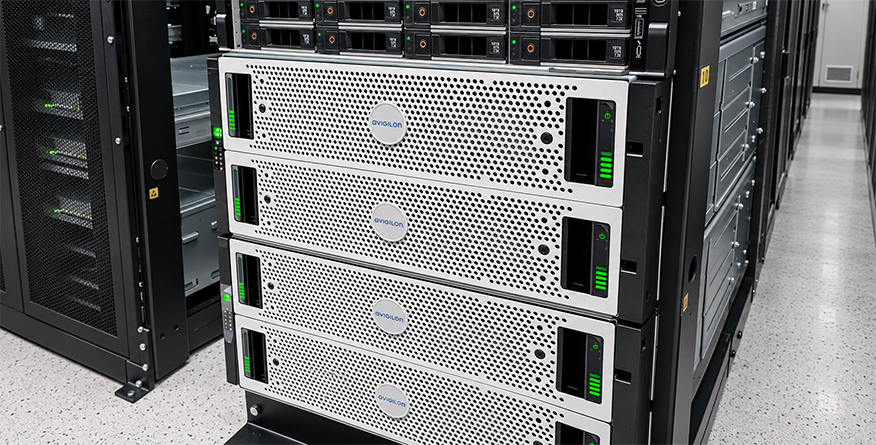
What Determines How Long Security Cameras Store Footage?
The amount of footage a surveillance system can retain depends on several technical factors. Two businesses using similar cameras may experience significantly different retention periods because of how their systems are configured.
1. Storage Capacity
Storage capacity directly affects how much recorded video a system can maintain.
Commercial surveillance systems frequently use network video recorders (NVRs), digital video recorders (DVRs), or dedicated storage servers to retain footage.
When the allocated storage becomes full, many systems are configured to overwrite older recordings automatically. Without sufficient capacity, footage could disappear earlier than the business expects.
Storage should therefore be sized according to the desired retention period rather than allowing available disk space alone to determine how long recordings remain accessible.
2. Camera Resolution and Video Quality
Higher-resolution cameras generally produce larger video files because they capture more visual information.
For example, recording continuously at 4K resolution typically requires more storage than recording comparable footage at 1080p, assuming similar compression and recording conditions.
Although reducing resolution can extend storage capacity, businesses should avoid compromising the image quality needed to identify people, vehicles, or important details during investigations.
3. Number of Cameras
Every additional camera contributes to the overall storage requirements of a surveillance system.
A commercial building with eight cameras will generally require less recording storage than a large facility operating dozens of cameras under comparable recording settings.
Businesses expanding their surveillance coverage should review their storage infrastructure at the same time to ensure the additional cameras do not reduce their existing footage retention period.
4. Continuous vs. Motion-Based Recording
Continuous recording captures footage throughout the configured recording schedule, providing a more complete record of activity.
Motion-based recording saves footage when the system detects movement or other configured events. This can reduce storage consumption, particularly in areas with limited activity.
However, motion-based recording also introduces the possibility of missing important events if detection settings are not properly configured.
The appropriate recording method depends on the area being monitored, the level of risk, and the business’s security objectives.
5. Video Compression
Video compression reduces the amount of data required to store recordings.
Modern surveillance systems commonly support compression technologies such as H.264 and H.265, which can help manage storage requirements while maintaining useful image quality.
However, compression settings must be carefully balanced. Excessive compression can reduce visual detail, potentially making footage less useful during an investigation.
Do Businesses Have Legal Requirements for CCTV Footage Retention?
There is no single footage retention period that applies universally to every commercial business in the United States.
Requirements can vary depending on the industry, jurisdiction, type of facility, and purpose of the recordings. Certain regulated environments may have specific video retention obligations, while other businesses have greater flexibility in establishing their policies.
Businesses operating in San Diego should consider applicable federal, California, and local requirements, along with relevant insurance policies and contractual commitments.
It is also important to consider privacy and data protection responsibilities. Retaining footage indefinitely without a clear business purpose can introduce unnecessary security and privacy risks.
For organizations subject to particular regulatory requirements, consulting qualified legal or compliance professionals before finalizing a surveillance retention policy is advisable.
What Happens When Security Camera Storage Is Full?
Many commercial video surveillance systems use a process known as automatic overwriting.
When the system reaches its allocated storage limit, it may begin replacing the oldest recordings with new footage. This allows cameras to continue recording without requiring someone to manually delete files.
For example, a surveillance system configured with enough capacity for approximately 30 days of continuous recording may begin replacing footage from the earliest recorded day as additional video is captured.
The exact behavior depends on the recording platform, storage configuration, and retention settings.
The biggest concern is that businesses may not realize important footage has been overwritten until they attempt to retrieve it.
Regularly checking available recording history and storage health can help prevent this situation.
Cloud Storage vs. Local Storage
Businesses generally have several options for storing surveillance footage, including local storage, cloud storage, and hybrid systems.
Local Storage
Local storage typically relies on an NVR, DVR, or dedicated recording server located at the facility.
This approach can provide businesses with direct control over their recording infrastructure, storage capacity, and retention settings.
However, local storage requires appropriate equipment maintenance, access controls, and protection against hardware failure, damage, or theft.
Cloud Storage
Cloud-based video storage sends recordings to remotely hosted infrastructure, subject to the system’s connectivity and service configuration.
Some services provide predetermined retention periods, while others allow businesses to select different storage plans or recording settings.
Cloud storage can support remote access and reduce reliance on a single on-site recording device. However, businesses should review subscription terms, bandwidth requirements, and data security arrangements.
Hybrid Storage
Hybrid systems combine local and cloud-based storage capabilities.
For example, a facility may keep routine recordings locally while sending selected footage or important events to remote storage, depending on the platform’s available features.
This approach can provide additional flexibility, but the appropriate configuration depends on the organization’s operational and security requirements.
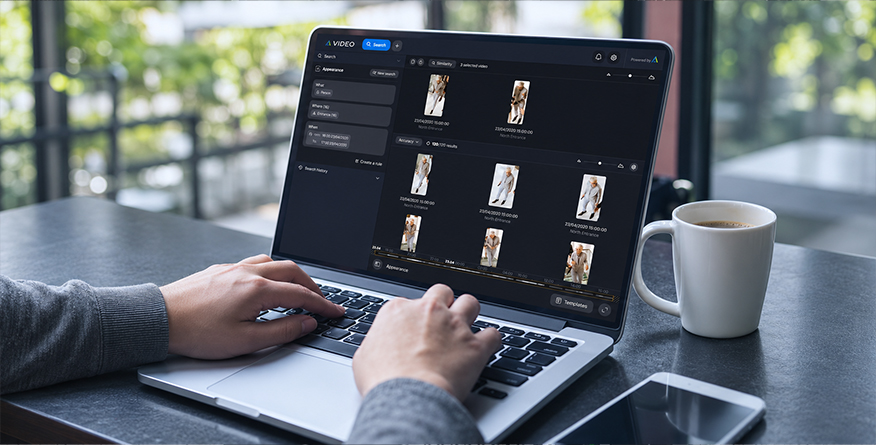
Best Practices for Managing Security Camera Footage
Selecting a retention period is only one part of effective video surveillance management. Businesses should also establish procedures that ensure recordings remain accessible, secure, and usable.
Establish a Clear Retention Policy
Document how long footage should be retained, which areas require longer retention, and who is authorized to access recordings.
The policy should reflect operational needs and applicable requirements rather than relying exclusively on the system’s default settings.
Regularly Check Recording History
Periodically review the oldest available footage to confirm that the system is maintaining the expected recording period.
For example, if a system is configured to retain 30 days of video, verify that recordings from approximately 30 days earlier are accessible and playable.
These checks can help identify storage shortages, incorrect settings, and recording failures.
Preserve Footage Related to Incidents
When an incident occurs, relevant recordings should be identified and preserved promptly.
Important footage may need to be exported or protected from automatic deletion, especially when it relates to an active investigation, insurance claim, or legal matter.
Businesses should also restrict access to preserved recordings and maintain appropriate records of how the footage is handled.
Review Storage Requirements When Expanding
Adding cameras, increasing recording resolution, or changing recording schedules can affect storage consumption.
Businesses should reassess their available capacity whenever significant changes are made to their surveillance infrastructure.
Restrict Access to Recordings
Security footage may contain sensitive information about employees, visitors, customers, or business operations.
Access should be limited to authorized personnel, with appropriate authentication, audit trails where available, and secure methods for sharing recordings.
How to Choose the Right Retention Period for Your Business
Before deciding how long to keep security camera footage, consider the following questions:
- How quickly are security incidents typically discovered and reported?
- Which areas of the facility require the most detailed surveillance?
- Are there legal, regulatory, or contractual retention requirements?
- Is the current storage capacity sufficient for the intended recording quality?
- Can important footage be retrieved and preserved before it is overwritten?
The answers can help determine whether a shorter recording period is sufficient or whether the business would benefit from extended storage.
Ultimately, the goal is not to store footage for as long as possible. It is to maintain the recordings necessary to support security operations, investigations, and compliance requirements without creating unnecessary storage or privacy risks.
Conclusion
A security camera system is only as effective as the recordings it can provide when they are needed.
Whether your business requires improved surveillance coverage, additional recording capacity, or an upgrade to its existing infrastructure, proper system design can help ensure important footage remains accessible.
At Electro Specialty Systems (ESS), we provide commercial CCTV installation, maintenance, and integrated security solutions for businesses throughout San Diego.
Not sure whether your current surveillance system is meeting your security needs?
Contact ESS to request a free security assessment and explore solutions for your facility.